Gmail Dot Generator
Need Visuals for Your New Account?
Convert any reference photo into master AI prompts for Midjourney, Flux & Bing Creator.
✨ Try AI Prompt Generator Free →What Is a Gmail Dot Generator?
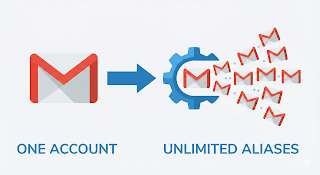
A Gmail Dot Generator is a free online tool that creates multiple variations of a Gmail address by adding dots (.) in different positions. Google officially ignores dots in Gmail usernames, which means emails sent to johnsmith@gmail.com, john.smith@gmail.com, and jo.hnsmith@gmail.com all arrive in the same inbox.
This tool automatically generates all possible Gmail dot combinations in seconds. It is useful for developers, testers, digital marketers, and users who want to organize their online accounts more efficiently.
How Does the Gmail Dot Trick Work?
Google Gmail treats dots inside the username as invisible characters. For example:
- example@gmail.com
- e.xample@gmail.com
- ex.ample@gmail.com
- exa.mple@gmail.com
All of these email addresses belong to the same Gmail account and deliver messages to one inbox. Our Gmail Dot Generator automates this process and instantly creates thousands of valid Gmail variations.
How to Use This Gmail Generator Tool
- Enter your Gmail address in the input box.
- Click the Generate Gmail Variations button.
- Wait a few seconds while the tool creates all possible dot combinations.
- Copy the generated aliases using the Copy button.
- Use them for testing, email organization, or development purposes.
Features of Our Gmail Dot Generator
- Generate thousands of Gmail dot combinations instantly.
- Works on both mobile and desktop devices.
- No registration or login required.
- 100% free to use.
- Fast and lightweight performance.
- Privacy-friendly because everything runs inside your browser.
- One-click copy functionality.
Is the Gmail Dot Trick Safe?
Yes. The Gmail dot trick is an official feature supported by Google. Dots inside Gmail usernames do not create new email accounts. Instead, they act as aliases that forward emails to the same inbox. Our tool does not store or send your email address anywhere because all processing happens locally in your browser.
Frequently Asked Questions
Does Gmail ignore dots in email addresses?
Yes. Gmail ignores dots in the username portion of an email address. For example, johnsmith@gmail.com and john.smith@gmail.com are treated as the same account.
Can I create unlimited Gmail variations?
The number of possible variations depends on the length of your username. Longer usernames can generate thousands of unique dot combinations.
Do all websites accept Gmail dot variations?
No. Some websites detect Gmail aliases and treat them as the same email address, while others allow them as separate registrations.
Is this Gmail Generator free?
Yes. Our Gmail Generator is completely free and does not require any signup or installation.
Does this tool work on mobile devices?
Absolutely. The Gmail Dot Generator works perfectly on Android phones, iPhones, tablets, laptops, and desktop computers.
Why Use a Gmail Dot Generator?
Developers use Gmail generators for software testing, marketers use them for campaign management, and regular users use them to organize subscriptions and online accounts. By creating Gmail aliases with dots, you can better understand how Gmail handles email delivery and manage your inbox more effectively.